Why can't my colleague access their Uniform account after receiving an invitation?
Last updated: February 9, 2026
Context
When you invite a colleague to join your Uniform team, they may encounter issues accessing their account. This typically happens when the invited user sees a login form instead of a registration form when clicking the invitation link, or when they don't receive password reset or invitation emails.
Answer
This issue occurs when the invited user accidentally enters the login flow instead of the sign-up flow, which is required to establish an account for the first time. Here's how to resolve it:
Re-send the invitation link to your colleague
Ask them to click on the invitation link again
When they reach the Uniform login page, they should click on "Don't have an account? Sign up" instead of trying to log in
They can then either:
Register with a new username and password
Continue with Google or GitHub if preferred
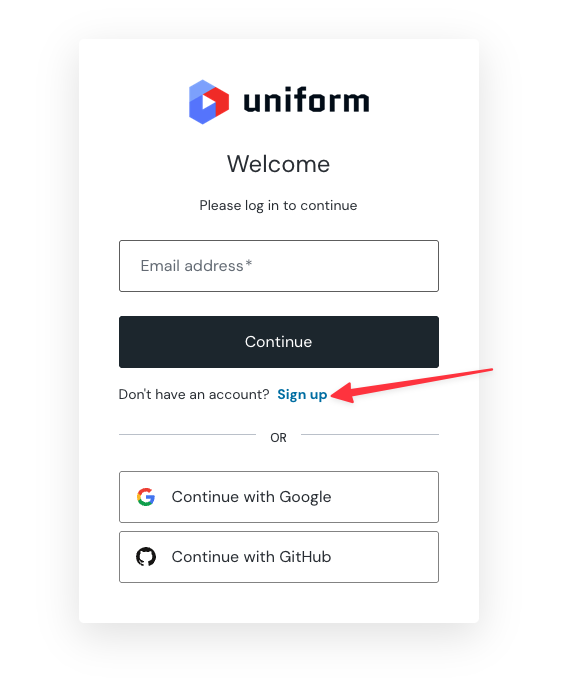
The key is ensuring your colleague uses the sign-up flow rather than attempting to log in with credentials that don't exist yet in the system.