Troubleshooting Preview Page Errors in Uniform: Localization issues
Last updated: September 24, 2024
If you encounter a "Could not resolve the full path of the preview page" error when trying to preview a page in Uniform, one of the possible reasons is a misconfiguration related to the localization.
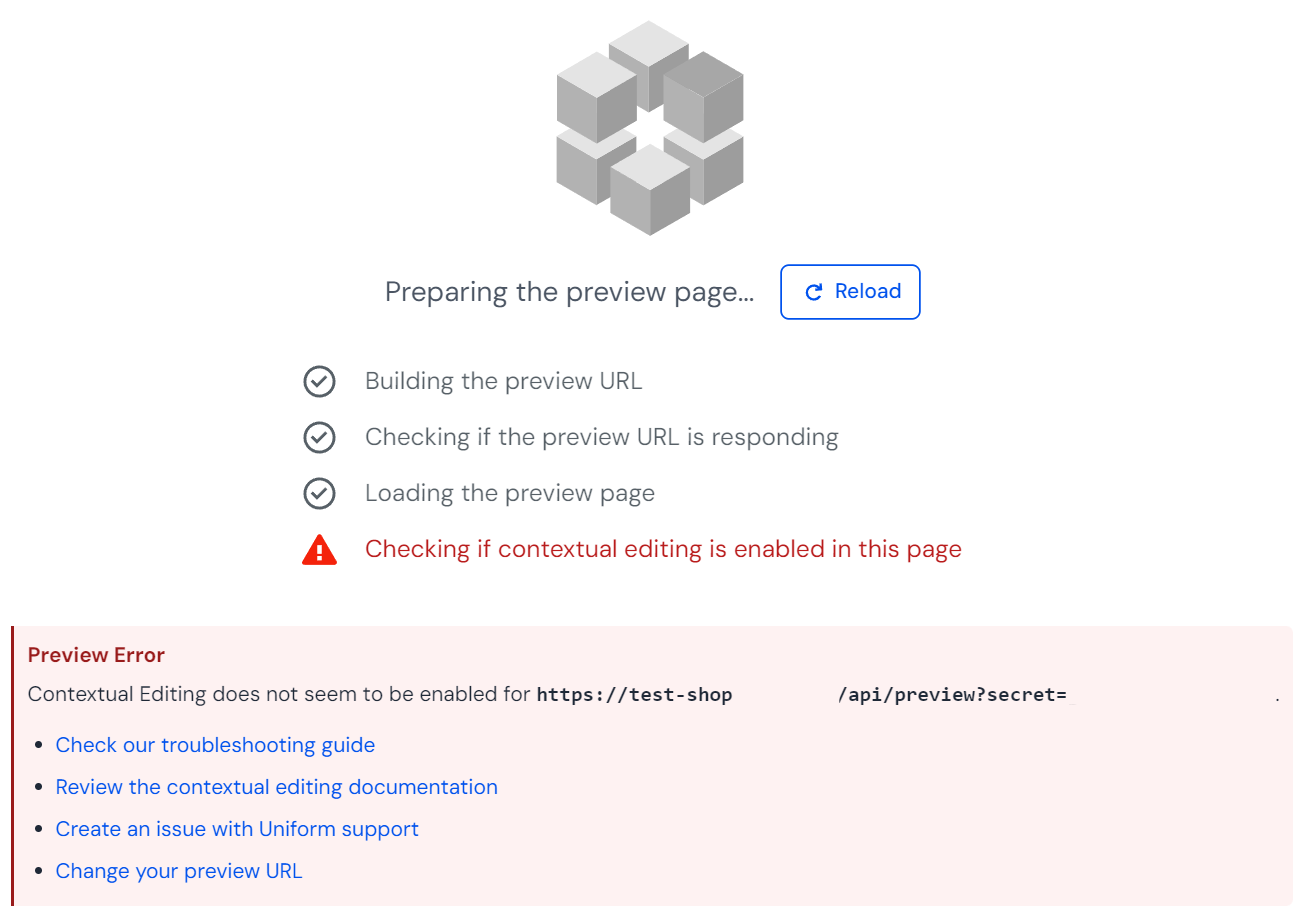
Follow these steps to resolve the issue:
1. Verify the Project Map Node URL
Ensure the URL in your Project Map Node matches your site structure:
Click on the Project Map Node for the page you're trying to preview
Copy the URL and open it in your browser
Check if there's any redirection (e.g., from '/page' to '/en/page')
Quick loom on how to do it:
https://www.loom.com/share/0ed76c07409744fb9bf584ebc22c4982?sid=6a8363de-8ac7-4a08-971d-31d1479a8e38
2. Create a Locale Node (if necessary)
If your site uses localization and redirects to a locale-specific URL (e.g., '/en/'), create a Locale Node:
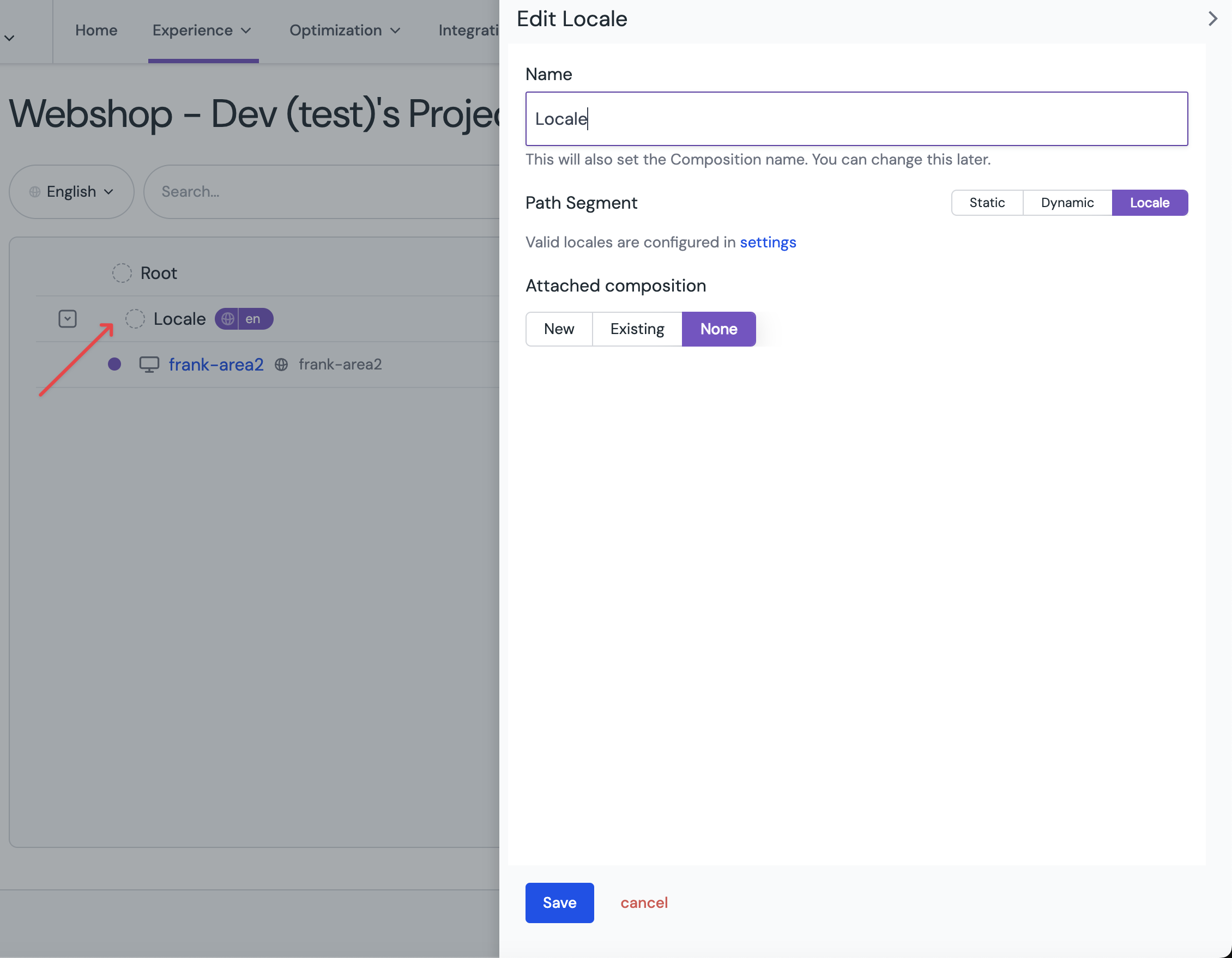
3. Configure Localization Settings
Ensure your localization settings are correctly configured:
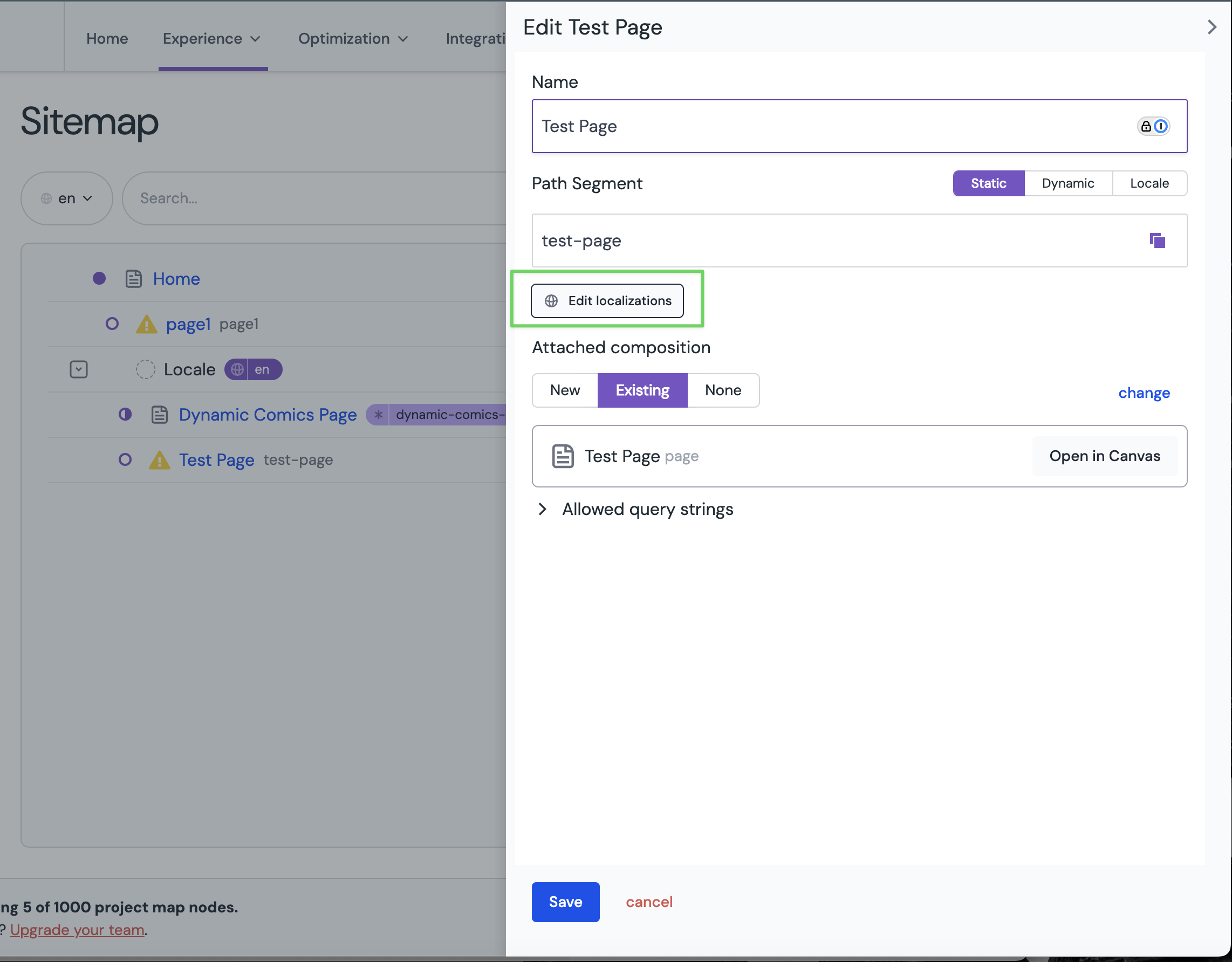
Select your Project Map Node, and click Edit on three dots menu
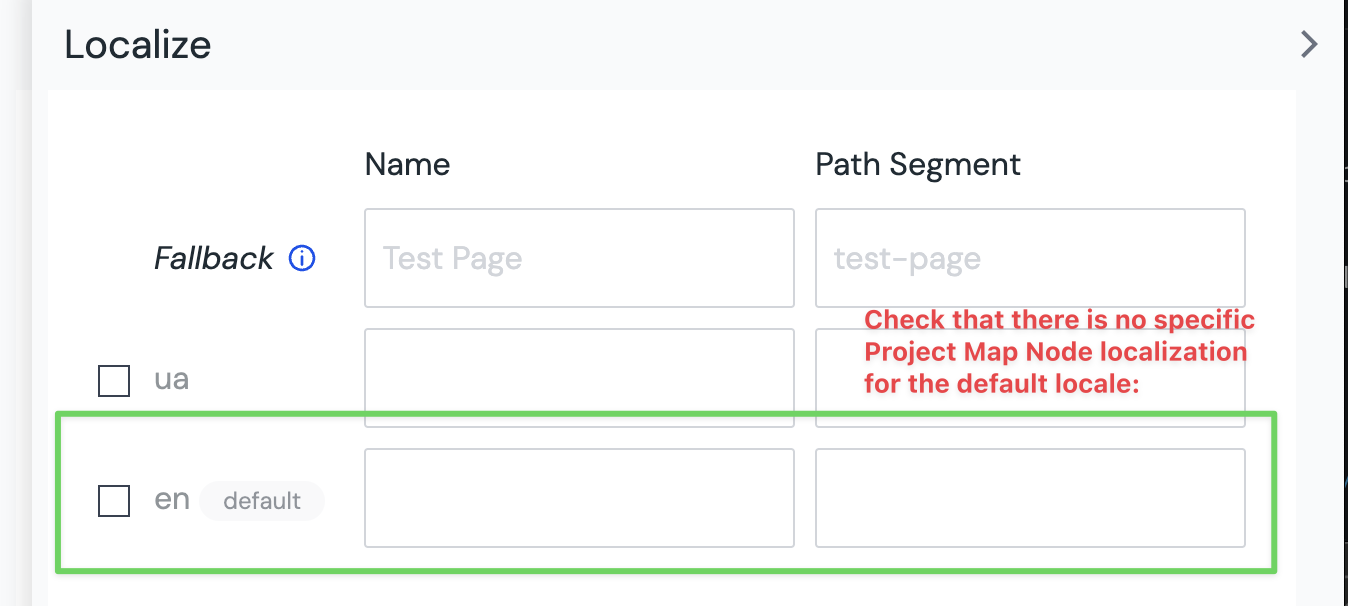
Edit localizationsOnly check the box for locales that require a different URL structure
Do not check the box for your default locale:
If you continue to experience issues, they might not be related to the localization. If you tried other guides and preview still doesn't work - please contact Uniform support in Slack or at help@uniform.dev for further assistance.