Using Dynamic Tokens in Custom UI for Component Fields
Last updated: September 30, 2024
Uniform allows you to create custom UI for component fields, including the ability to use dynamic tokens. This article explains how to implement this feature and some important considerations.
Implementing Custom UI with Dynamic Tokens
To create a custom UI for component parameters that supports dynamic tokens, you can refer to the following example implementations:
These examples demonstrate how to create custom UI components that can work with dynamic tokens in Uniform.
Compatibility with Conditional Parameters
Custom UI for component fields is compatible with the conditional parameter feature. You can use both custom UI and conditions together for your parameters.
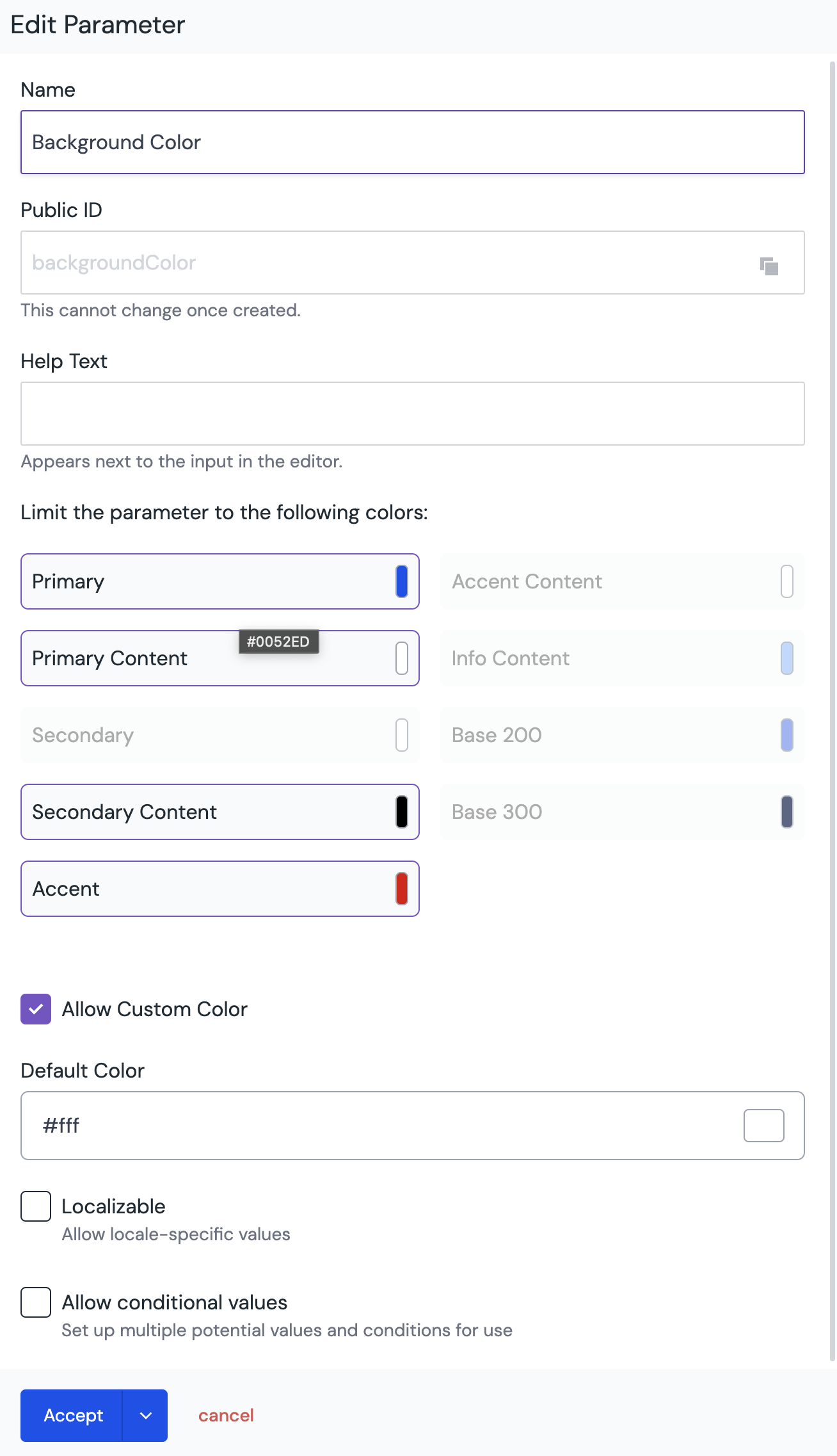
As shown in the image above, custom parameters still have the option to set conditions, allowing you to combine both features effectively.
Important Considerations
Value Storage: Uniform stores either a value or a pointer definition as the value for custom parameters. The underlying storage layer is not aware of the custom UI rendering in Canvas.
Composition Independence: The composition itself doesn't know about the custom UI, other than potentially having a different type in the JSON.
Conditional Values: For conditional values to work with custom parameters, ensure that your React component can update to value changes from outside sources (e.g., when previewing different values in the editor).
By following these guidelines, you can create custom UI for component fields that effectively utilize dynamic tokens and work seamlessly with Uniform's existing features.